Installation
- Install Crowd Toolkit from the Fab marketplace.
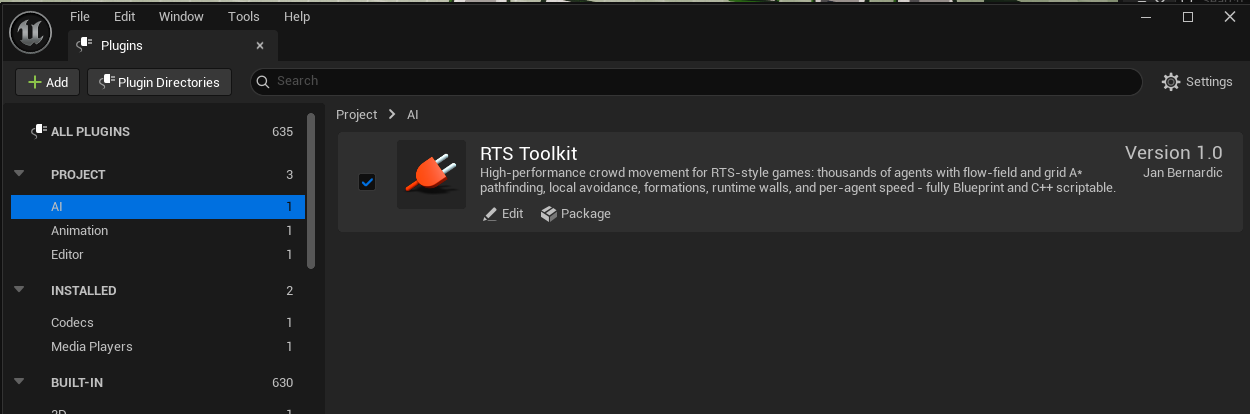
- Open your project and go to Edit → Plugins.
- Find Crowd Toolkit under the AI category and make sure it is enabled.
- Restart the editor when prompted.
TIP
Crowd Toolkit ships with example maps and example Blueprints (BP_Crowd,
BP_CrowdRenderer, BP_RtsController). They live in the plugin's content folder (enable
Show Plugin Content in the Content Browser). BasicExample wires up the full selection →
order → render loop from Quick Start, NavMeshExample seeds walls
from a nav mesh, and FollowExample makes a crowd follow an actor.
Requirements
Blueprint or C++
Everything in Crowd Toolkit is exposed to Blueprint - you can ship a game with it without writing any C++. The Quick Start shows every step both ways.
To call the API from C++, add the module to your *.Build.cs dependencies:
PublicDependencyModuleNames.AddRange(new[] { "CrowdToolkit" });Then include the headers you need:
#include "CrowdToolkitActor.h"     // ACrowdToolkitActor - the crowd actor
#include "CrowdToolkitLibrary.h"   // UCrowdToolkitLibrary - GetCrowd + bulk math nodes