Quick Start
This page gets a crowd moving in five steps, in Blueprint. Each step also has a C++
example tucked in a collapsible below it - expand it if you're scripting in C++, otherwise
ignore it. The only object you ever talk to is the crowd actor
(ACrowdToolkitActor): spawn agents on it, order them, and
read back their transforms to render them.
1. Get the crowd actor
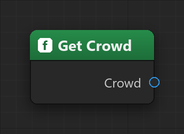
You don't have to place anything in the level. The first time you ask for the crowd, the subsystem adopts a crowd actor already in the level, or spawns a default one if there is none. Grab it from anywhere with a single node.
// The world comes from the calling object, so this works anywhere.
ACrowdToolkitActor* Crowd = UCrowdToolkitLibrary::GetCrowd(this);
TIP
Place a configured BP_Crowd (or a plain Crowd Toolkit Actor) in your level if you want to
tune agent radius, speed, formation, pathfinding, walls, etc. in the details panel - GetCrowd
will adopt it. Keep one crowd actor per level.
2. Spawn agents
Agents live at world positions. The simplest start is a grid.
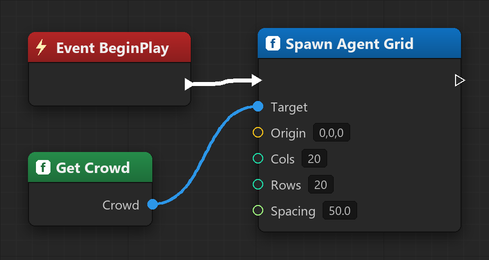
// A 20 x 20 block, 50 units apart, starting at Origin.
Crowd->SpawnAgentGrid(Origin, /*Cols*/ 20, /*Rows*/ 20, /*Spacing*/ 50.0f);

// ...or one at a time. Position.Z is the agent's initial tracked height.
Crowd->SpawnAgent(FVector(0, 0, 0));
Each agent gets an index (its slot in the crowd's arrays). The query and order nodes work in indices - that's all you need here. The spawn calls also return the new agents' stable ids, for tracking specific units over time (see Indices & Stable IDs).
3. Select agents
To order a group you need their indices. The query nodes return them in one pass. The classic RTS one is marquee select straight from a screen rectangle:
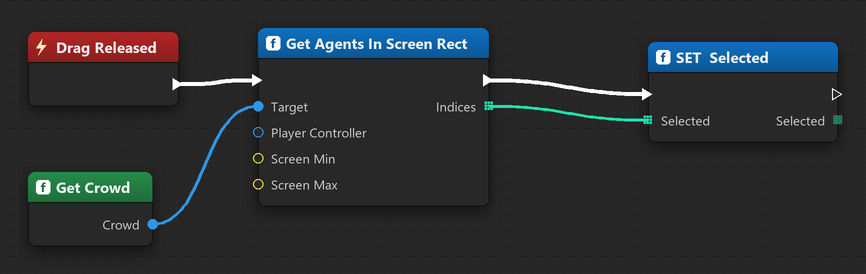
// Everything inside the on-screen drag rectangle (RTS marquee select).
// The last argument is a team filter; an empty array means "every agent".
TArray<int32> Picked = Crowd->GetAgentsInScreenRect(PlayerController, ScreenMin, ScreenMax, {});
Other ways to select: GetAgentsInRadius(Center, Radius, {}) and GetAgentsInRect(Box2D, {}) -
same idea, both return indices. Pass team ids instead of {} to select only certain
teams.
4. Order them to move
Hand the selected indices and a destination to Set Agents Target. They arrange themselves into a formation at the point and share one path there - by default the front of the group lands on it, with the body trailing back (Anchor switches it to centred).
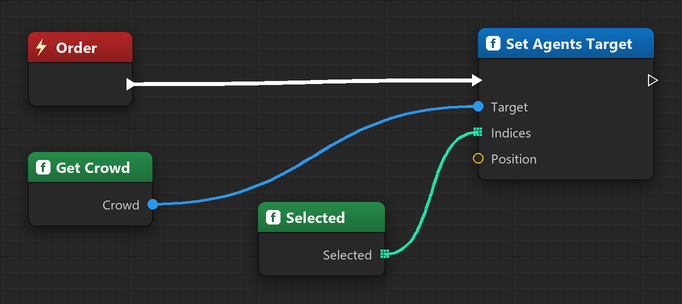
Crowd->SetAgentsTarget(Picked, ClickedWorldLocation);That's the whole movement loop - one call moves any number of units as a group. For a single
unit, Set Agent Target (Index, Position) is a convenience wrapper.
5. Render the agents
The crowd is simulation only - it stores positions, not meshes. Every frame, read the agents' transforms and push them into an Instanced Static Mesh.
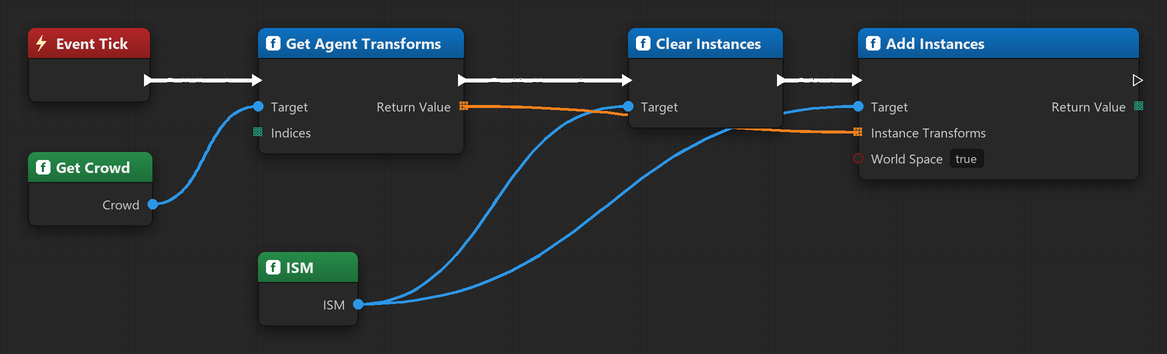
// On Tick, in your renderer actor:
TArray<FTransform> Transforms = Crowd->GetAgentTransforms({}); // {} = all agents
ISM->ClearInstances();
ISM->AddInstances(Transforms, /*bReturnIndices*/ false, /*bWorldSpace*/ true);
See Rendering Agents for the production pattern (updating instances in place instead of clearing each frame) and how facing / ground alignment is baked into the transforms.
The whole loop
Get Crowd ──► Spawn Agents ──► (on drag-select) GetAgentsInScreenRect
                                        │
                                        ▼
                              (on right-click) SetAgentsTarget
                                        │
              (every Tick) GetAgentTransforms ──► render instances
From here:
- Rendering Agents - the render loop in detail
- Wall Generation - block movement with walls / the nav mesh
- Navigation - Auto mode, flow field vs Spatial A*
- Following - make a squad trail another agent or an actor
- Crowd Actor reference - every property and function